
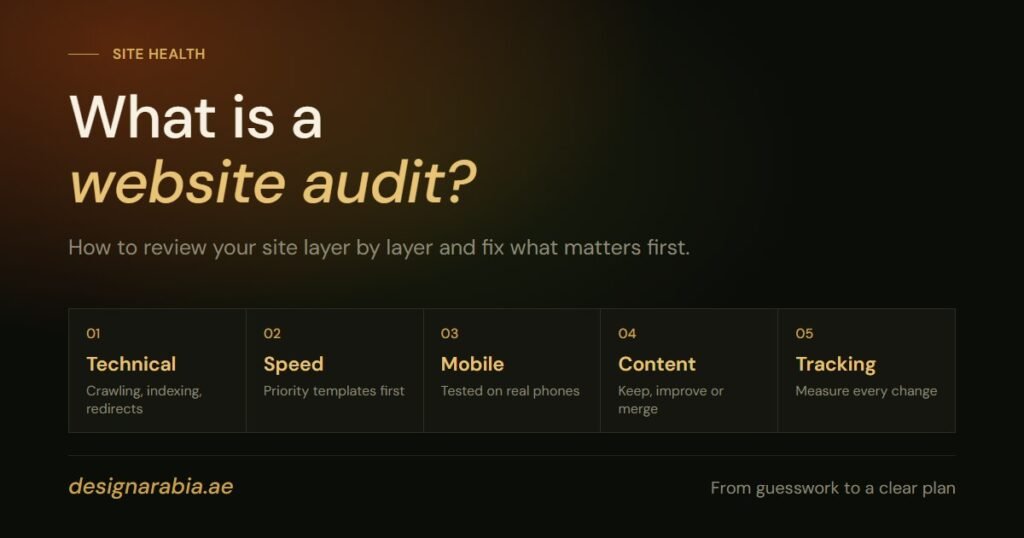
A website audit is a structured review of your site’s technical setup, search visibility, content, user experience, security, and tracking. It helps you find what is working, what is broken, and what should be improved first. Instead of guessing why traffic, rankings, leads, or sales are not where they should be, a website audit gives you a practical roadmap for better performance.
What is a website audit?
A website audit is a detailed inspection of a website to identify issues that affect visibility, usability, trust, and conversions. It can include a technical website review, SEO analysis, content evaluation, speed testing, mobile checks, security checks, and analytics review. The goal is not just to create a long list of problems, but to understand which fixes will have the greatest impact.
For example, a site may have strong content but poor crawlability, meaning search engines struggle to find and index important pages. Another site may rank well but lose leads because forms are hard to use on mobile. A good audit connects these signals so you can prioritize fixes with confidence.
Why a website audit matters
Websites change over time. New pages are added, plugins get updated, redirects pile up, tracking scripts break, and older content becomes less useful. Even a well-built site can develop hidden problems that reduce organic traffic or make visitors leave before taking action.
A website audit helps you step back and see the whole picture. It can reveal technical barriers, weak page titles, slow templates, thin content, confusing navigation, missing conversion paths, and gaps in measurement. For business owners, marketers, and site managers, that clarity is valuable because it turns vague concerns into specific next steps.
You do not need a massive enterprise site to benefit from an audit. Small business websites, ecommerce stores, blogs, service pages, and lead generation sites can all improve from a careful review.
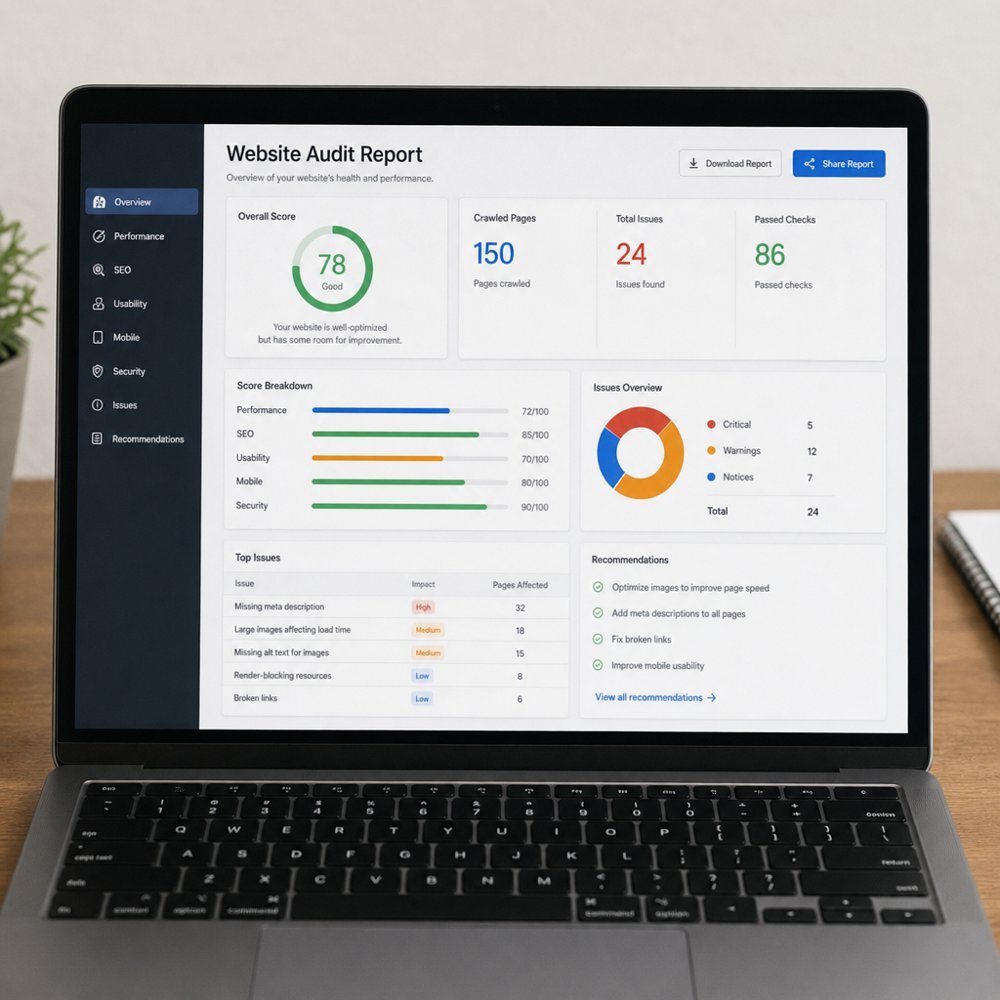
How do you perform a website audit?
You perform a website audit by reviewing the site in layers: technical health first, then speed, mobile usability, on-page SEO, content quality, user experience, security, and tracking. This order works because foundational issues can affect everything else. If search engines cannot crawl key pages or users cannot load them quickly, other improvements may not deliver their full value.
1. Check technical health
Start with the parts of the website that search engines and browsers rely on. Crawl the site to look for broken links, redirect chains, duplicate pages, missing pages, server errors, and pages blocked by mistake. Review whether important pages are indexable and whether low-value pages are being kept out of search results when appropriate.
Also check your XML sitemap, robots.txt file, canonical tags, and internal linking. These elements help search engines understand which pages matter and how they relate to each other. If this foundation is messy, your content may not perform as well as it should.
Practical checks include:
- Confirm important pages return a successful status code.
- Fix broken internal links and unnecessary redirect chains.
- Make sure the sitemap includes key indexable pages.
- Review canonical tags for accuracy.
- Check that navigation and internal links point users to priority pages.
2. Review site speed and performance
Speed affects user experience and can influence how visitors interact with your site. A slow page can cause people to leave before reading, clicking, or submitting a form. During a website review, test key templates such as the homepage, service pages, blog posts, category pages, and checkout or contact pages.
Look for oversized images, unused scripts, excessive third-party tags, render-blocking resources, and bloated design elements. You do not need to chase perfect scores, but you should identify issues that make the site feel slow in real use. Focus especially on pages that drive traffic, leads, or revenue.
Free tools such as Google PageSpeed Insights, Chrome Lighthouse, and WebPageTest can support this step. Use them as diagnostic aids, not as the entire audit.
3. Test mobile optimization
Many visitors will experience your site on a phone first. Mobile optimization is about more than fitting content on a smaller screen. The site should be readable, tappable, fast, and easy to navigate without pinching, zooming, or struggling with crowded elements.
Check menus, forms, buttons, pop-ups, image sizing, sticky elements, and page spacing. Review whether calls to action are visible without overwhelming the page. If your site has booking, checkout, quote, or contact forms, complete the process on a mobile device to find friction that automated tools may miss.
4. Audit on-page SEO
On-page SEO helps search engines and users understand what each page is about. Review title tags and meta descriptions, H1s, subheadings, URL structure, image alt text, schema markup, and internal links. Each important page should target a clear topic and match the intent of the audience searching for it.
Avoid treating this as a keyword-stuffing exercise. Instead, ask whether the page answers the searcher’s need better than competing pages. For instance, a service page should explain the service, who it is for, why it matters, what the visitor should do next, and how to contact the business.
5. Evaluate content quality
Content quality is one of the most useful parts of a website audit because it shows whether your pages are earning attention and trust. Review pages for accuracy, depth, clarity, freshness, originality, and usefulness. Thin, outdated, duplicated, or confusing content can weaken performance even if the technical setup is solid.
Group content into categories: keep, improve, consolidate, redirect, or remove. A page that gets traffic but has weak conversions may need clearer calls to action. A page with no traffic and overlapping intent may need to be merged with a stronger resource. A page with outdated claims should be refreshed before it damages trust.
6. Review UX and conversion paths
UX and conversion auditing focuses on what visitors do after they arrive. Look at navigation, page layout, forms, buttons, trust signals, readability, and the steps required to take action. A site can attract qualified visitors and still underperform if the next step is unclear.
Ask practical questions as you review each important page:
- Is the primary call to action easy to find?
- Does the page explain value before asking for action?
- Are forms short enough for the context?
- Do buttons use clear language?
- Are contact options visible and consistent?
- Does the page remove common doubts or objections?
Small improvements in clarity can make a meaningful difference, especially on high-intent pages.
7. Check security and trust signals
Security is a core part of maintaining a credible website. Confirm that the site uses HTTPS, that mixed content issues are resolved, and that software, themes, plugins, and integrations are kept current, ideally through a website maintenance plan. If the site collects personal information, forms and data handling should be reviewed carefully.
Trust signals also matter. Visitors look for signs that a business is active, legitimate, and easy to contact. Clear contact details, privacy information, accurate business details, and professional page presentation all support confidence.
8. Confirm analytics and tracking
An audit is incomplete if you cannot measure what happens after changes are made. Review analytics, conversion tracking, form tracking, call tracking, ecommerce tracking, and key event tracking where relevant. Make sure important actions are being measured accurately.
Also check whether reports answer useful business questions. You should be able to see where visitors come from, which pages attract them, which pages convert, and where people drop off. If tracking is broken or incomplete, decisions may be based on misleading data.
A simple website audit checklist
Use this website audit checklist as a starting point. It is intentionally simple, so it can help you move from review to action.
- Technical health: fix crawl errors, broken links, indexation problems, bad redirects, and sitemap issues.
- Speed: compress large images, reduce unnecessary scripts, and improve slow priority templates.
- Mobile: test navigation, forms, buttons, layouts, and calls to action on real devices.
- On-page SEO: review titles, descriptions, headings, internal links, URLs, and search intent.
- Content: update outdated pages, improve thin pages, merge overlapping content, and remove low-value pages when needed.
- UX and conversion: simplify journeys, clarify calls to action, improve forms, and strengthen trust signals.
- Security: confirm HTTPS, software updates, secure forms, and visible privacy or contact information.
- Tracking: verify analytics, conversion events, form submissions, phone calls, and ecommerce data if applicable.
Prioritize fixes in this order: first address anything that blocks crawling, indexing, page access, security, or conversions. Next, fix problems affecting high-traffic or high-value pages. After that, work through content improvements, internal linking, and lower-risk refinements.
Can you do a free website audit yourself?
Yes, you can complete a basic free website audit using a mix of free tools and manual review. Tools can help identify crawl issues, speed problems, mobile concerns, and search performance patterns. Useful options include Google Search Console, Google Analytics, PageSpeed Insights, Lighthouse, and limited free crawls from SEO platforms.
The key is to avoid relying only on automated scores. Tools can flag symptoms, but they do not always explain business impact or priority. A manual review helps you understand whether an issue truly affects users, rankings, leads, or revenue.
When a professional audit is worth it
A self-audit is useful for routine maintenance, but a professional website audit is advisable when the stakes are higher or the issues are complex. Consider getting expert help if organic traffic has dropped, a redesign or migration is planned, leads have slowed, technical errors keep returning, or your team is unsure which fixes matter most.
Professional audits can also be valuable for larger sites with many templates, ecommerce filters, international pages, complex redirects, or custom development. An experienced auditor can connect technical SEO, content, UX, analytics, and business goals into one prioritized plan. That outside perspective often helps teams stop debating symptoms and start fixing root causes.
Turning audit findings into action
The best audit is not the longest report. It is the one that leads to better decisions. After documenting findings, assign each issue a priority, owner, and next step. Separate urgent fixes from improvements that can wait.
A practical action plan might group tasks into three buckets:
- Fix now: crawl blockers, broken important pages, security risks, broken forms, and tracking failures.
- Fix next: slow high-value pages, weak on-page SEO, poor mobile experiences, and confusing conversion paths.
- Improve over time: content refreshes, internal linking upgrades, schema enhancements, and design refinements.
This approach keeps the project manageable. It also helps stakeholders understand why some changes should happen before others.
Final takeaway
A website audit gives you a clear view of your site’s health, search performance, usability, and ability to convert visitors. By reviewing technical health, speed, mobile experience, SEO, content, UX, security, and tracking, you can move from guesswork to a practical improvement plan.
If you want expert support turning audit findings into results, visit our technical SEO services page to learn how technical issues can be reviewed and resolved. When you are ready to discuss your site, request a quote for your project.