
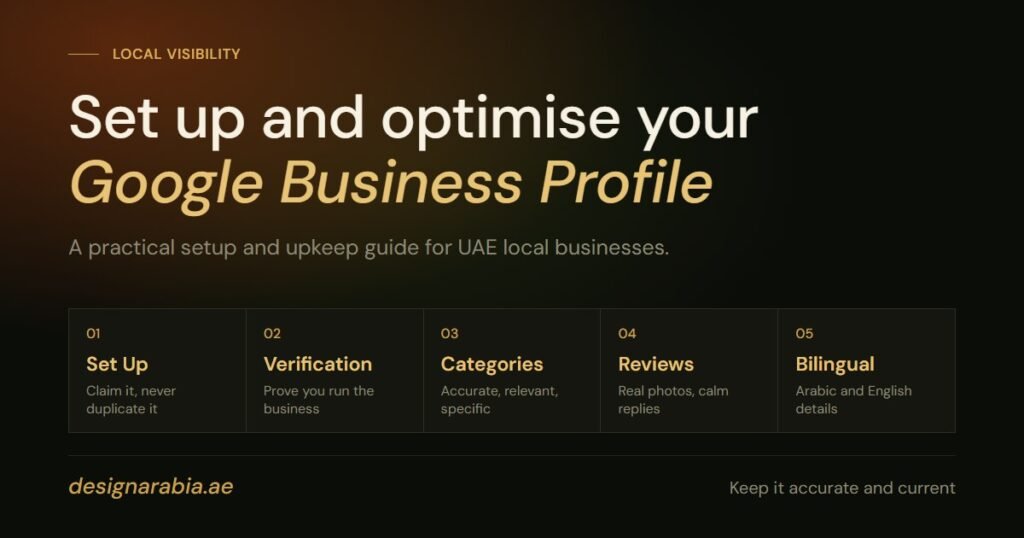
A well-built Google Business Profile helps a local UAE business present clear, trustworthy information when potential customers search for its products or services. This guide explains how to create, verify, and improve your profile with the details that matter most, including categories, photos, reviews, posts, and bilingual Arabic and English content. If you are not sure where to begin with your Google Business Profile, start with accuracy, consistency, and regular updates.
Why does your Google Business Profile matter in the UAE?
Your Google Business Profile is often one of the first places customers check before calling, visiting, booking, or enquiring. For UAE businesses, that audience can include residents, tourists, Arabic speakers, English speakers, and expatriate communities comparing local options quickly.
Many business owners still search for Google My Business, the old name, but Google now refers to the product as Google Business Profile. Google’s own help pages explain that adding or claiming a profile lets you control how business information appears across Google, and verification helps confirm that you are authorised to manage it. (Google Help)
In a competitive market like Dubai, Abu Dhabi, Sharjah, Ajman, and other emirates, a thin or outdated profile can make a business look less reliable. A complete profile, on the other hand, supports trust by showing practical information, fresh visuals, active responses, and services that match what customers are searching for.
Setting up your profile correctly from the start
Before you create or claim a Google Business Profile, prepare the core information you want customers to see. Use the same business name, phone number, website, and address format that appears on your website, trade licence, social pages, and other business listings. Consistency reduces confusion and helps your profile look credible.
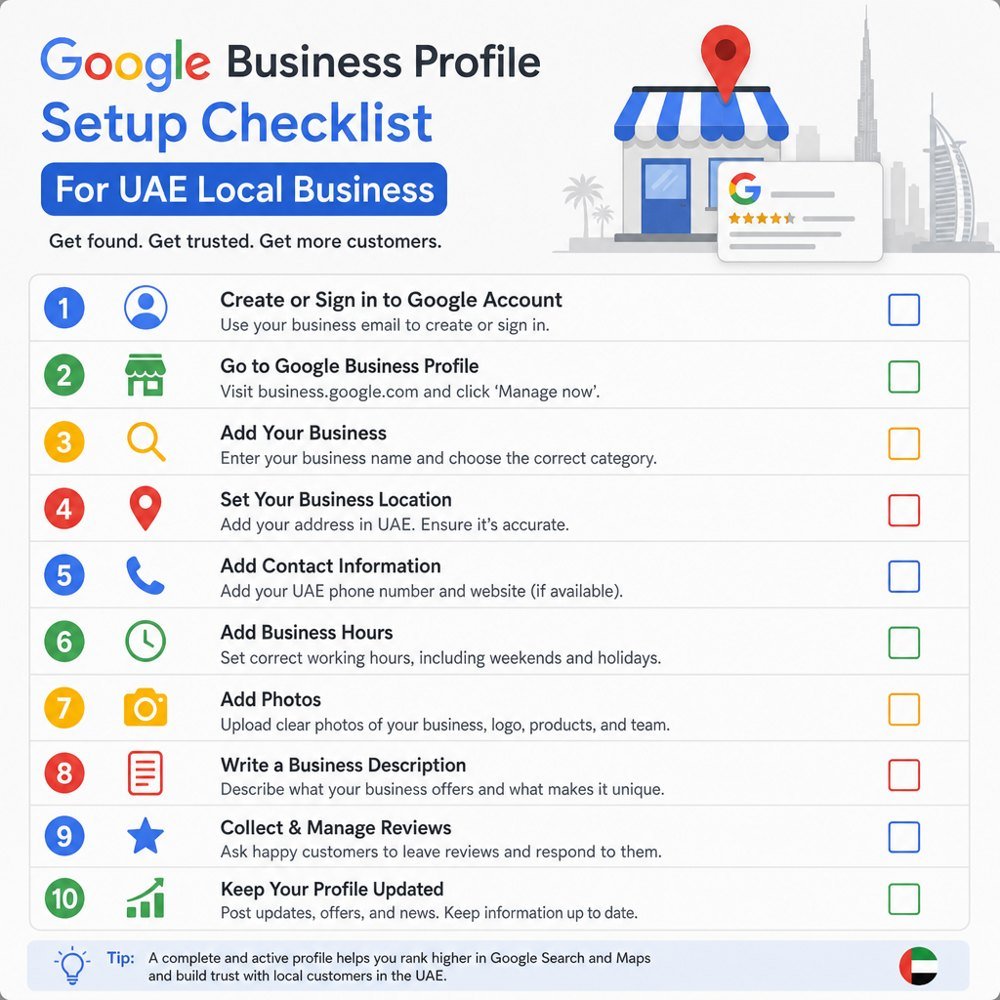
Follow these steps for a local business setup:
- Sign in with the right Google account. Use an account owned by the business, not a personal account belonging to one employee. This makes future access easier if staff change.
- Search for an existing profile. Your business may already have a listing created from public data or customer activity. If it exists, request ownership or claim it instead of creating a duplicate.
- Enter your official business name. Use the real-world name customers know. Avoid adding extra keywords, locations, or promotional text unless they are genuinely part of the registered or public-facing name.
- Choose whether customers visit your premises. A clinic, restaurant, salon, shop, showroom, or office can usually show its customer-facing location. A service-area business should configure the profile according to how it serves customers.
- Add your primary phone number and website. Use a number your team answers consistently, ideally the same number used on your website and main marketing materials.
- Select your main category. This is one of the most important setup choices because it helps Google understand what your business actually does.
- Complete the opening hours. Add normal trading hours and update them for Ramadan, Eid, public holidays, seasonal schedules, or mall-specific timings where relevant.
- Submit the profile and begin verification. You can improve some details before verification, but full management usually depends on completing Google’s verification process.
For UAE companies with multiple branches, create or claim a separate profile for each eligible location. Do not merge distinct branches into one listing if customers interact with them separately. Each location should have its own phone number, hours, photos, and localised description where possible.
Verification proves that the right person manages the profile
Verification is Google’s way of checking that you are connected to the business and allowed to manage its public information. Google says available verification methods can vary by business, category, region, and other factors, and verification reviews may take up to five business days. (Google Help)
Common verification methods can include phone, text, email, video, or other options shown inside your profile dashboard. You normally cannot choose every possible method, so follow the option Google provides for your specific profile. If video verification is requested, prepare before you start so the process is smooth.
A UAE local business should have these items ready:
- Proof of business identity: trade licence, branded signage, invoices, utility documents, or other official materials that match the profile details.
- Access to the premises or business tools: show that you can enter the location, use business equipment, or access staff-only areas if requested.
- Consistent contact details: make sure the phone number, business name, and address align with your website and official documents.
- Clear branding: exterior signage, reception signage, uniforms, menus, vehicles, or packaging can help demonstrate a real operating business.
- Patience after submission: avoid repeated edits to key information while verification is being reviewed, as major changes can create delays.
If verification fails, read the message carefully before trying again. Do not change the business name, address, or category just to force approval. Instead, fix mismatched information, improve your supporting evidence, and repeat the process with accurate details.
Categories, services, and descriptions shape customer expectations
Your primary category should describe your main business, not every service you offer. For example, a dental clinic should not choose a broad medical category if a more accurate dental category is available. A restaurant in Jumeirah, a nursery in Abu Dhabi, a car garage in Sharjah, and a legal consultancy in Dubai all need categories that match customer intent.
Secondary categories can support additional services, but they should still be relevant. Adding unrelated categories may attract the wrong audience and weaken the clarity of your profile. Think like a customer: what would they call your business when they need you?
Use your description to explain what you do, who you serve, and what makes the business useful. Keep it natural and avoid stuffing keywords like Google Business Profile or location phrases into every sentence. Mention important UAE context where it helps, such as areas served, languages supported, appointment availability, delivery options, or industry specialisations.
Then complete your products or services section. This is especially useful for salons, clinics, repair companies, agencies, restaurants, training centres, and professional services. Give each service a plain name and short explanation so customers understand what is available before they contact you.
Photos make the profile feel active and trustworthy
Photos help potential customers understand your environment, quality, and professionalism before they make contact. Google allows businesses to add visual content to their profile, and its photo and video policies set rules for what is acceptable. (Google Help)
For a local UAE business, upload a practical mix of images:
- Exterior photos with clear branding, if you have customer-facing premises
- Interior photos showing reception, seating, treatment rooms, dining areas, counters, or showroom spaces
- Team photos that feel professional and authentic
- Product, menu, service, or project photos that accurately represent what customers can buy
- Seasonal images for Ramadan offers, Eid collections, summer services, or event-based promotions
- Updated photos after renovations, rebranding, menu changes, or branch upgrades
Avoid over-edited stock-style images that do not reflect the real business. Customers want to know what to expect. A clean, current gallery can reduce hesitation and increase confidence, especially when someone is comparing several similar businesses.
Reviews need a consistent response process
Reviews are not just a rating score. They are a public conversation between your business and customers. Google’s materials note that reviews should reflect real experiences and must follow content policies designed to keep reviews relevant and appropriate. (Google blog)
Create a simple review routine for your team. Ask satisfied customers to share honest feedback after a completed service, successful delivery, appointment, stay, meal, or purchase. Do not pressure customers, offer rewards for positive reviews, or write reviews on their behalf.
Respond to reviews in a calm, professional tone. Thank positive reviewers with enough detail to show the response is genuine. For negative reviews, acknowledge the concern, avoid arguments, and invite the customer to continue the conversation through your official support channel.
A good UAE review response style is polite, concise, and culturally aware. If your customers commonly use Arabic and English, consider replying in the language used by the reviewer. This small detail can make your Google Business Profile feel more personal and attentive.
Posts keep your profile fresh and useful
Google Business Profile posts let businesses share updates, offers, events, and announcements. Google says posts can include text, photos, videos, and action buttons, and they may be reviewed against content policies before publication. (Google Help)
Use posts to highlight information that helps customers act now. A restaurant might share a Ramadan set menu, a clinic might announce a new specialist, a fitness studio might promote a ladies-only class, and a retailer might feature a limited seasonal collection. Keep the copy specific, include a clear call to action, and use an image that matches the update.
A simple monthly posting plan could include:
- One service or product spotlight
- One offer, event, or seasonal announcement
- One educational tip related to your industry
- One credibility post, such as new equipment, team training, or a completed project
Do not treat posts as random social media updates. Use them to answer the customer’s next question and move them closer to calling, booking, enquiring, or purchasing.
Bilingual Arabic and English details help you reach more customers
The UAE is multilingual, and many local businesses serve both Arabic-speaking and English-speaking customers. Where suitable, include clear details in both Arabic and English across your profile assets, especially in descriptions, service names, posts, and photo captions if available.
This does not mean every line must be duplicated mechanically. Instead, focus on customer clarity. If your clinic, restaurant, real estate office, legal service, or training centre serves Arabic and English audiences, bilingual wording can help more people understand your offer quickly.
Use accurate translations, not automatic copy that sounds unnatural. Check names of services, locations, and cultural phrases carefully. For example, an Eid promotion, Ramadan timing update, or Arabic service description should feel local and respectful rather than copied from a generic template. For wider guidance on search in both languages, see our guide to Arabic SEO for GCC businesses.
Optimisation is an ongoing habit, not a one-time task
The best profiles are maintained regularly. After setup and verification, schedule a monthly review to make sure your details still match the real business. This is especially important in the UAE, where hours, offers, staff, menus, and seasonal operations can change quickly.
Use this optimisation checklist:
- Confirm business name, phone number, website, and hours are still accurate
- Update holiday and Ramadan timings before customers need them
- Review categories and services when your business offering changes
- Add fresh photos every month or after important updates
- Reply to new reviews promptly and professionally
- Publish posts for offers, events, launches, and seasonal updates
- Check that Arabic and English details remain accurate
- Remove outdated promotions, old service wording, or irrelevant images
- Make sure your website reflects the same core information as the profile
If you want support building a stronger local search presence, visit our local SEO services page, or read our guide to ranking on Google Maps in Sharjah and Dubai. A focused local SEO strategy can help you improve your Google Business Profile, strengthen local visibility, and keep your online presence consistent across the UAE market.
Key takeaway for UAE businesses
A strong Google Business Profile is built on accurate setup, successful verification, relevant categories, useful photos, active review management, regular posts, and bilingual information where it helps customers. For local companies in the UAE, these details can make the difference between being overlooked and being trusted.
Start with the basics, keep everything consistent, and treat your profile as a living part of your marketing. When it reflects the real quality of your business, customers have more reasons to choose you.